A gift code is Udemy's official way to pass a course to someone else. It's exactly how a course lands in your library when a service — or a friend abroad — buys it for you. Redeeming takes less than a minute, but beginners routinely trip on small things: the wrong account, a stale link, a code that's already been used. Here's the process step by step, plus fixes for the problems people actually hit.
What a Udemy gift code is
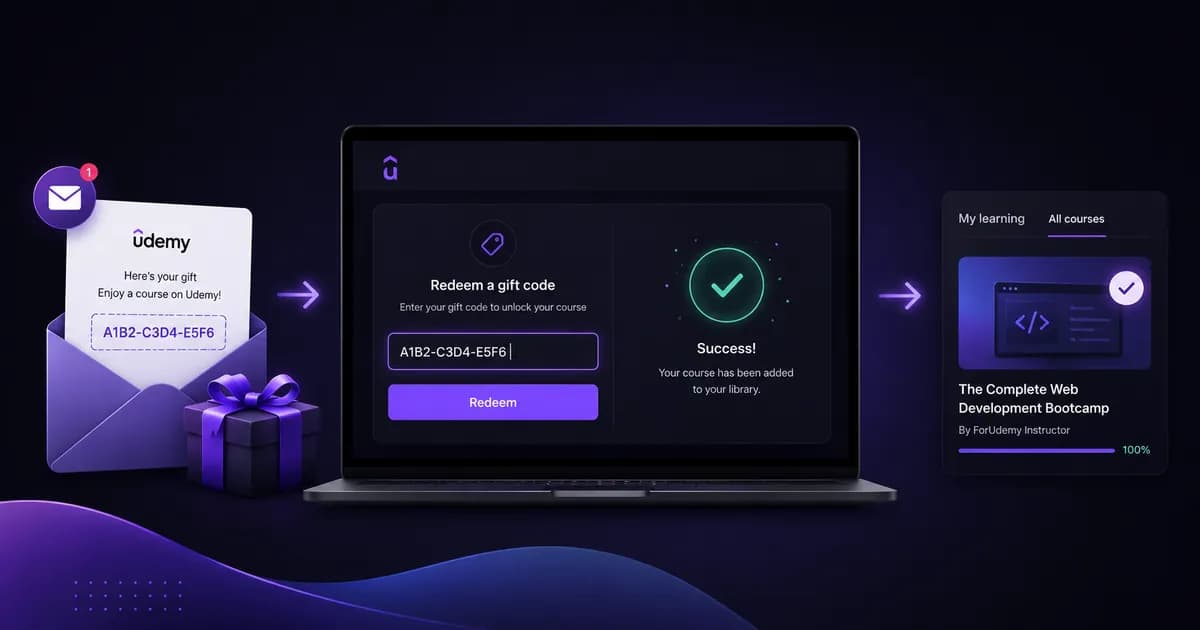
When someone buys a course through the "Gift this course" button, Udemy generates a unique code and emails it to the recipient. The code isn't a discount or a promo code: it's tied to one specific course and grants full lifetime access to it.
One detail matters more than any other: the course does not appear in your library automatically. Until the code is redeemed, the course belongs to nobody — it's paid for and waiting for its recipient.
A redeemed gift course is identical to one bought directly: the same updates, the same certificate of completion, the same access from phone, tablet, and desktop.
Where to find the gift code
The code arrives at the email address given at purchase. Check three places:
- Your inbox — an email from Udemy about a gift, or from the service you bought through.
- Spam / Promotions — Udemy emails land there often, especially with Gmail.
- Your account on the service — if the course was bought through ForUdemy, the code is also stored in your order history next to the "completed" status, with a one-click copy button.
The code itself is a long string of letters and digits. Udemy documents the same procedure from its side in How to redeem a Udemy gift. Sometimes you'll get a ready-made link instead, shaped like udemy.com/gift/redeem/?code=… — in that case the code is already filled in and redeeming is a single click.
Redeeming the code, step by step
- Sign in to your Udemy account. This is the critical step — the course goes to whichever account is signed in right now.
- Open the redeem page at udemy.com/gift/redeem. If you have a link with the code in it, just follow that link.
- Paste the code into the input field. Copy the whole thing, with no leading or trailing spaces.
- Click Redeem. Udemy shows you which course you're about to receive.
- Confirm. The course appears under "My learning".
That's it. There's no payment at this step — the course is already paid for; you're only accepting the gift.
Double-check which account you're signed in to before redeeming. If you have two Udemy accounts (work and personal), the code goes to whichever one your browser has open — and Udemy will not move a course between accounts afterwards.
What to do if the code won't redeem
"This code has already been used"
It was redeemed earlier. Check "My learning" — the course is probably already there. If it isn't, you're most likely signed in to a different account: sign out and sign back in with the email address the code was sent to.
"Invalid code"
Almost always a typo. Copying from an email tends to pick up a trailing space or a line break. Copy the code again, paste it into a plain text editor, confirm there's no whitespace, and try once more.
The redeem page won't load
Open udemy.com in a private window, sign in, and navigate to the redeem page from there. Browser extensions and stale cookies are the second most common cause after typos.
You already own the course
Udemy won't let you redeem a gift code for a course that's already in your library. If that happens, contact the support team of the service you bought through — the code hasn't been spent, so it can be refunded or swapped.
Getting a gift code when your card doesn't work on Udemy
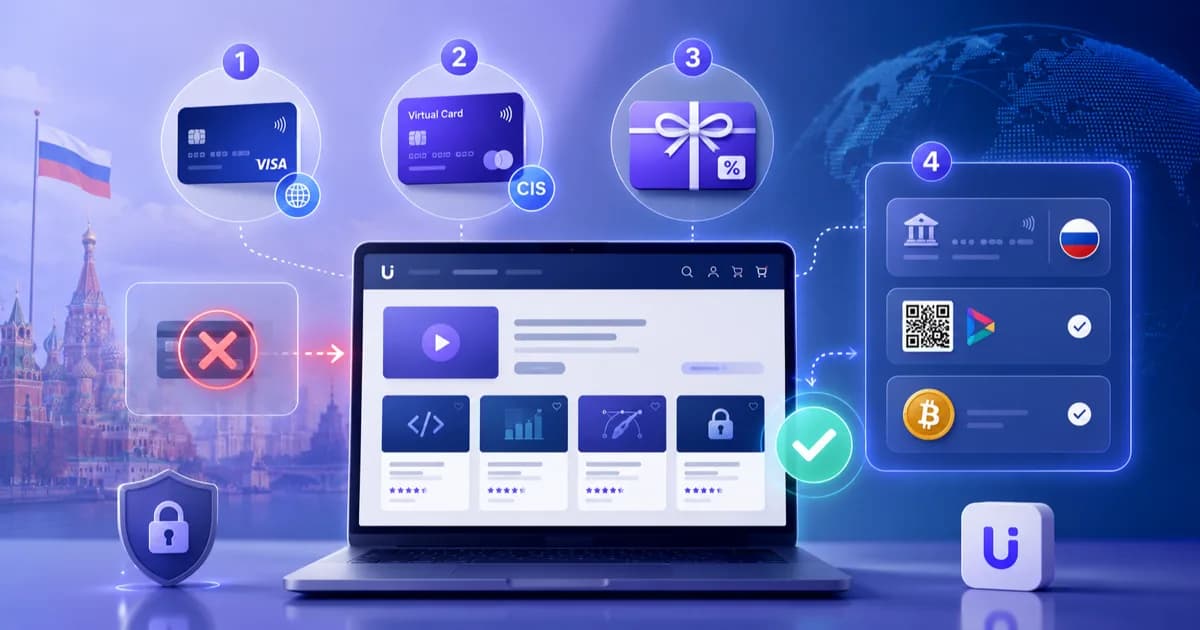
Russian-issued cards can't pay Udemy directly, but the gift mechanism solves it: a service buys the course for you and sends the code to your email. With ForUdemy that looks like this:
- Paste the course link into the form on the homepage — you'll see the price in rubles.
- Enter your Udemy username and email.
- Pay by card, SBP, or cryptocurrency.
- Receive the code and redeem it using the steps above.
The full walkthrough is on the how to buy a course page. Every alternative payment route — a foreign card, crypto, a friend abroad — is compared in the guide to paying for Udemy from Russia.
Frequently asked questions
Do I need a Udemy account beforehand?
Ideally yes. Registration is free and takes a minute. If you don't have an account, Udemy will offer to create one right on the redeem page — but it's simpler to set it up first so you can give the correct username when ordering.
How long is a gift code valid?
Udemy doesn't enforce a hard expiry, but don't sit on it: redeem the code as soon as you get it. Until the course is in your library, it isn't protected from changes in the platform's catalog.
Can I gift a course I already own?
No. The gift code is generated at the moment of purchase through the "Gift this course" button. A course already in your library can't be transferred to someone else.
What if the course isn't what I expected?
Udemy's standard refund policy applies, with one important correction: Udemy counts the 30 days from the purchase of the course, not from the moment you redeem the code. And a gift refunds differently — a request from the recipient is granted in Udemy credits rather than money back to a card, and at Udemy's discretion.
Does redeeming work from Russia?
Partly, and this matters more than anything else on this page. The site itself, the redeem page and course playback all load from Russia. But the code only redeems in a Udemy account created outside Russia — in an account tied to Russia, redeem returns an error no matter how many times you try. You can check your account in a second: open any paid course and look at the currency. Rubles mean the account is tied to Russia; it should show $ or €. If it is, create a new account over a VPN in an incognito window — two or three minutes — and redeem the code there. The step-by-step is here.
Conclusion
Redeeming a gift code is the easiest part of the purchase: sign in to the right account, open the redeem page, paste the code. Two mistakes account for 90% of the problems — the wrong account and a stray space in the copied code. Check both before you email support.
Still deciding what to learn? Start with the course catalog by topic — then paste the link to whichever course you like into the form on the homepage to see its price.
Buy Udemy Courses
Paste a course link → pay by card, crypto, or another supported method → get access in 2 minutes
Check Course Price